
EVIE is a web-based API interface for EVE Online. It’s built using modern web technologies to provide a fast and responsive interface while still displaying a large amount of information.
My goal of this project is to build a robust API interface that is usable on any platform: including both desktop and mobile. cough cross-platform app cough. I don’t just want to display data from the API, but also do calculations, predictions and more to make EVIE more useful, even when you also have the game open.
Right now the features are limited, but new pages are being built and I have a lot of exciting features planned!
Dashboard

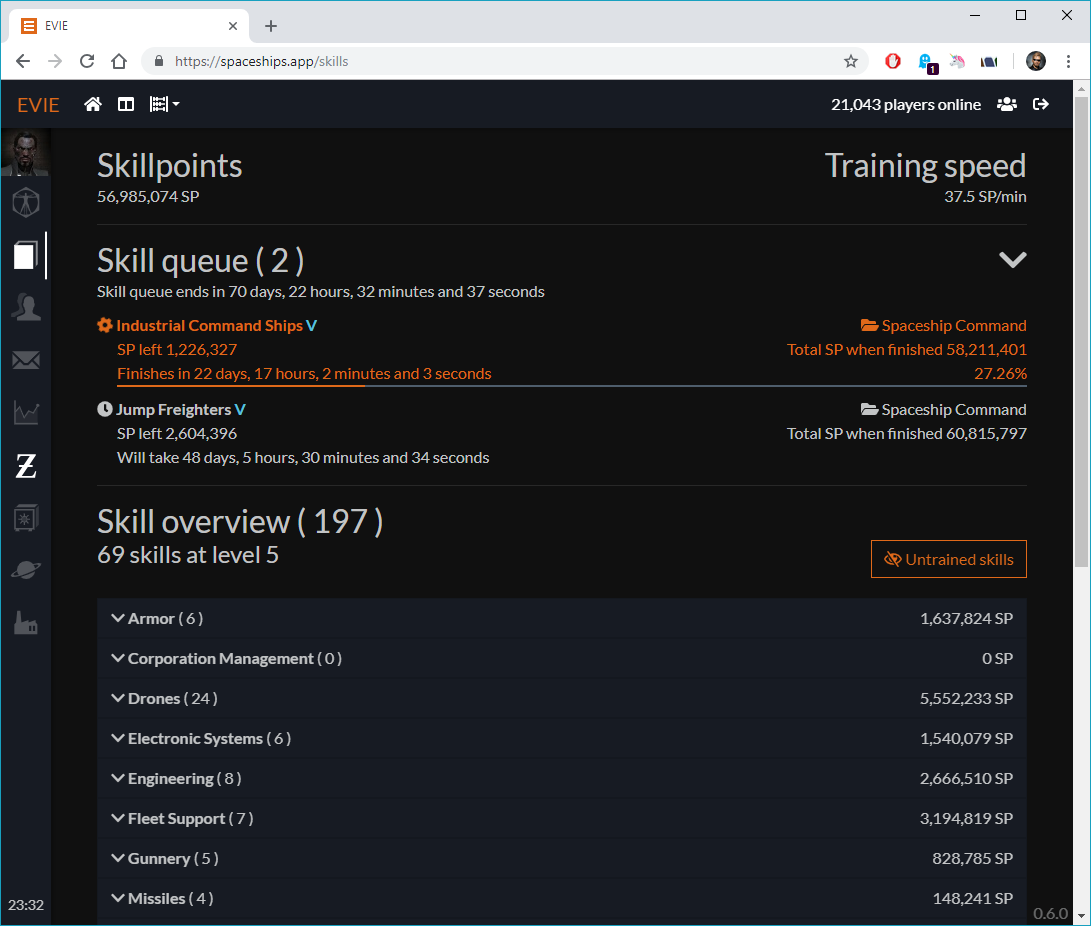
Skills Page
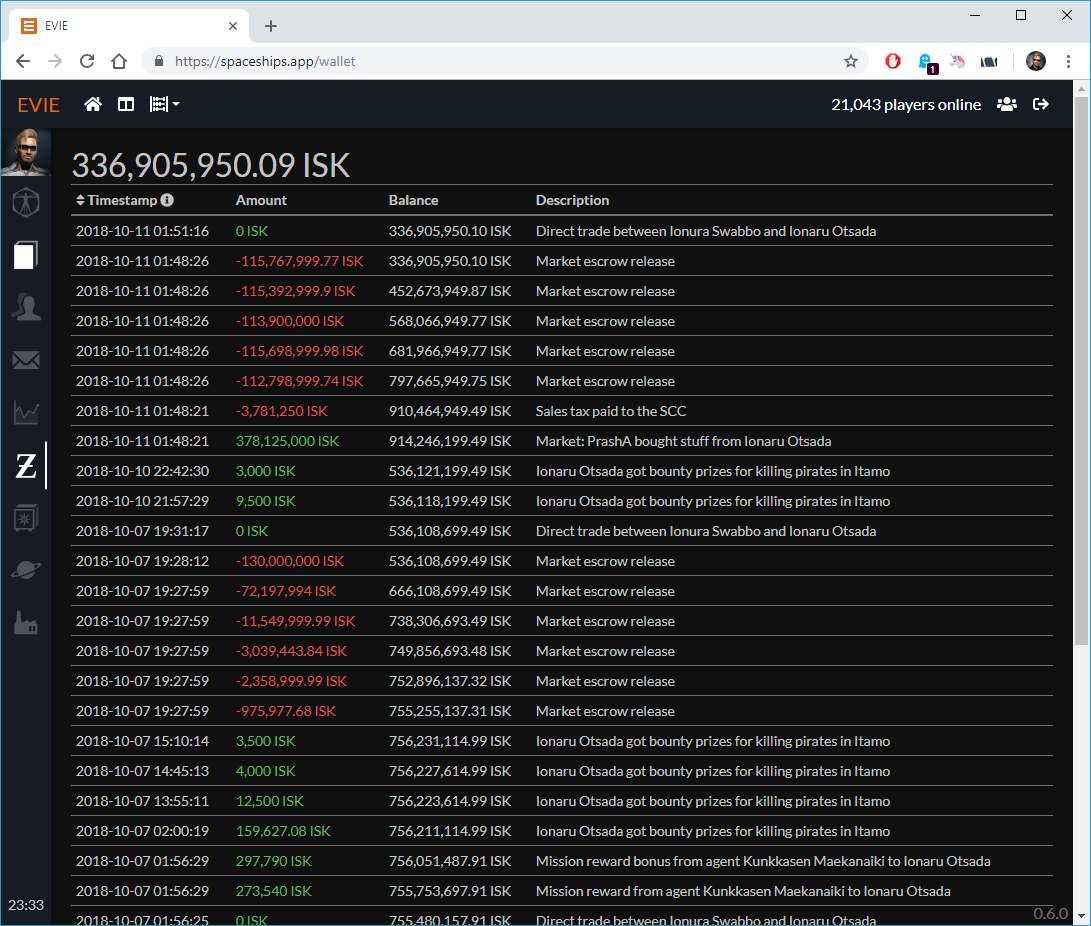
Wallet Page
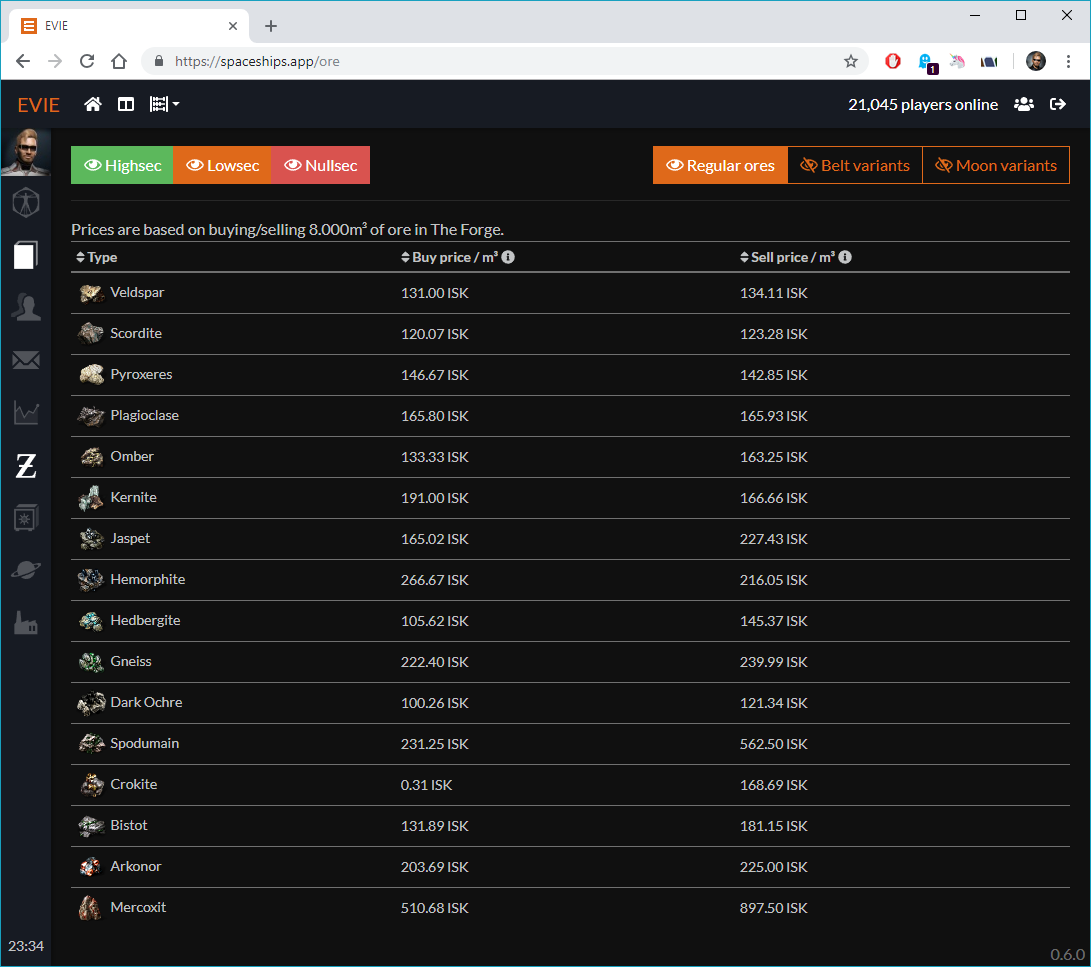
Ore prices table
- Option to switch between TQ and SiSi.
Use shared functions between client and serverSelecting a subset of scopes for SSO- Something special on character birthday / April fools / christmas
- Responsiveness
- More pages!
- More tests!
- Set up automated testing.
- Pagination
- Cash-flow breakdown
Fetch industry information from SDE(-like API) to serverCreate routes so client can fetch industry info in small portions- Do cost calculations on resources, recursively
EVIE runs on Docker with the Compose v2 plugin. It publishes no ports: the client listens on 80 and
expects a reverse proxy in front of it, reached over a shared Docker network named edge. The server
reaches its database over a second shared network named db.
https://developers.eveonline.com/applications
EVIE works with two EVE Online developer applications, one for logging in and one for character auth. This is done so users can decide what scopes to grant for each of their characters.
- SSO Login (Authentication Only)
- SSO Auth (Authentication & API Access)
- Give this all available scopes, only a subset will be used for EVIE.
EVIE stores its data in MySQL or MariaDB. Create a database and a user with full rights on it, and
make sure the database server is attached to the db Docker network so the EVIE server can resolve
it by name. The session table is created by the application on first start; the rest is created by
the migrations, which run automatically every time the server container starts.
-
Install Docker Engine, which includes the Compose v2 plugin.
-
Clone this repository, or download and extract it.
-
Create the shared networks, if your reverse proxy and database have not already created them:
docker network create edge
docker network create db
The Compose file declares both as
external, so it will not create them for you and startup fails if either is missing. -
Create a
.envfile in the root of the checkout, with at least the required variables from the table below:EVIE_DB_HOST=your-database-host EVIE_DB_NAME=evie EVIE_DB_PORT=3306 EVIE_DB_USER=evie EVIE_DB_PASS=your_database_password EVIE_SERVER_PORT=3731 EVIE_SESSION_KEY=evie-session EVIE_SESSION_SECRET=a_long_random_string EVIE_SSO_LOGIN_CLIENT=your_login_application_id EVIE_SSO_LOGIN_SECRET=your_login_application_secret EVIE_SSO_LOGIN_CALLBACK=https://example.com/sso/login-callback EVIE_SSO_AUTH_CLIENT=your_auth_application_id EVIE_SSO_AUTH_SECRET=your_auth_application_secret EVIE_SSO_AUTH_CALLBACK=https://example.com/sso/auth-callback EVIE_SSO_APP_CLIENT=your_app_application_id EVIE_SSO_APP_SECRET=your_app_application_secret EVIE_SSO_APP_CALLBACK=https://example.com/sso/app-callback
-
Start the stack:
docker compose up -d
No flags are needed.
compose.yamllives in the root of the checkout, so Compose reads the.envbeside it and takes the project name from the file. Run the command from the root of the checkout, or from anywhere inside it. -
Check that it came up:
docker compose logs -f
Point your reverse proxy at http://evie-client:80. Compose registers the service name as a network
alias, so anything else attached to edge can resolve it. With Caddy that is:
spaceships.app {
    reverse_proxy evie-client:80
}
Your reverse proxy must send X-Forwarded-Proto. EVIE is served over two proxies: yours
terminates TLS, then the client's nginx forwards to the server. The session cookie is Secure by
default, and express-session reads X-Forwarded-Proto to decide whether it is allowed to send one.
If your proxy does not set that header, the whole chain looks like plain HTTP, no session cookie is
ever set, and every request lands on a fresh session: logging in fails with InvalidState and API
calls fail with BadClient. Caddy, Traefik and a stock nginx proxy_set_header X-Forwarded-Proto $scheme all set it correctly when they are the ones terminating TLS.
The fix for that failure is the header, not EVIE_SESSION_SECURE=false. Turning off Secure would
paper over it by letting the cookie travel unprotected.
Run docker compose config instead of up at any point to print the fully resolved
configuration. That is the quickest way to confirm your networks, credentials and image tags are what
you expect.
| Variable | Required | Description |
|---|---|---|
EVIE_DB_HOST |
Yes | Host of the database to connect to. |
EVIE_DB_NAME |
Yes | Name of the database to connect to. |
EVIE_DB_PASS |
Yes | Password to use in the database connection. |
EVIE_DB_PORT |
Yes | Port of the database to connect to. |
EVIE_DB_USER |
Yes | Username to use in the database connection. |
EVIE_DB_SSL_CA |
No | Location of the CA certificate in the container for a secure database connection. |
EVIE_DB_SSL_CERT |
No | Location of the client certificate in the container. |
EVIE_DB_SSL_KEY |
No | Location of the client key in the container. |
EVIE_DB_SSL_REJECT |
No | Whether to reject an insecure connection to the database. Defaults to true. |
EVIE_SERVER_PORT |
Yes | The port the server listens on. Must be 3731, see the note below. |
EVIE_SESSION_KEY |
Yes | Name of the session ID cookie. |
EVIE_SESSION_SECRET |
Yes | Secret used to sign the session ID cookie. |
EVIE_SESSION_SECURE |
No | Serve cookies over a secure connection only? Defaults to true, disable for local development. See the note on X-Forwarded-Proto below before turning this off to fix a login problem. |
EVIE_PROXY_SETTING |
No | The setting Express' trust proxy should be set to. Defaults to 1. |
EVIE_SSO_LOGIN_CLIENT |
Yes | Client ID of the SSO application that handles login. |
EVIE_SSO_LOGIN_SECRET |
Yes | Secret Key of the SSO application that handles login. |
EVIE_SSO_LOGIN_CALLBACK |
Yes | Callback URL of the SSO application that handles login. |
EVIE_SSO_AUTH_CLIENT |
Yes | Client ID of the SSO application that handles character auth. |
EVIE_SSO_AUTH_SECRET |
Yes | Secret Key of the SSO application that handles character auth. |
EVIE_SSO_AUTH_CALLBACK |
Yes | Callback URL of the SSO application that handles character auth. |
EVIE_SSO_APP_CLIENT |
Yes | Client ID of the SSO application that handles login for the app. |
EVIE_SSO_APP_SECRET |
Yes | Secret Key of the SSO application that handles login for the app. |
EVIE_SSO_APP_CALLBACK |
Yes | Callback URL of the SSO application that handles login for the app. |
EVIE_DATA_VOLUME |
No | Where the server keeps its ESI response cache. Defaults to a Docker named volume. |
EVIE_CONFIG_VOLUME |
No | Where the server looks for the EVIE_DB_SSL_* certificates. Defaults to a Docker named volume. |
EVIE_GIT_REVISION |
No | Image tag to run. Defaults to latest. |
DEBUG |
No | Set to evie* or * for extra logging output. See https://www.npmjs.com/package/debug. |
Two more are needed only when building the images rather than pulling them:
| Variable | Required | Description |
|---|---|---|
EVIE_ENV |
Yes | The ng build configuration to use: local, development or production. |
EVIE_FA_TOKEN |
Yes | FontAwesome Pro token. The client depends on the paid icon packages. |
The server port is not really configurable. EVIE_SERVER_PORT is what the server binds to, but the
client's nginx proxies to http://evie-server:3731 from a static config file, so anything other than
3731 breaks the client. Nothing is published to the host either way.
EVIE_DATA_VOLUME and EVIE_CONFIG_VOLUME must be either left unset, which uses the named volumes
declared in the Compose file, or set to an absolute host path. A relative path such as ./data
resolves against the root of the checkout, which is rarely what you want for data you intend to
keep. The server container runs as the unprivileged node user, so a host directory needs to be
writable by UID 1000.
The prebuilt ghcr.io/ionaru/evie-server and ghcr.io/ionaru/evie-client images are linux/amd64
only. On other architectures the pull fails with a manifest error, and you will need to build the
images locally instead:
docker compose up -d --buildThe server is written in TypeScript and requires Node.js 24 or newer.
cd server
npm ci            # Install dependencies
npm run build     # Compile TypeScript to dist/
npm test          # Lint and type-check
npm run migrate:dev  # Run the database migrations from source
npm start         # Run the compiled server
The client is an Angular application and is still on Angular 11, which does not run on Node 17 or newer. Use Node.js 16 for it, and export a FontAwesome Pro token first.
cd client
export EVIE_FA_TOKEN=your_fontawesome_token
npm ci            # Install dependencies
npm start         # Serve on http://localhost:4200 with a proxy to the server
npm run build:prod  # Build for production